
Transit app
Download the Transit app
and ride with us
Plan your trip, track your bus in real time and pay for COTA rides from your smartphone.


Track Your Trip in Real Time
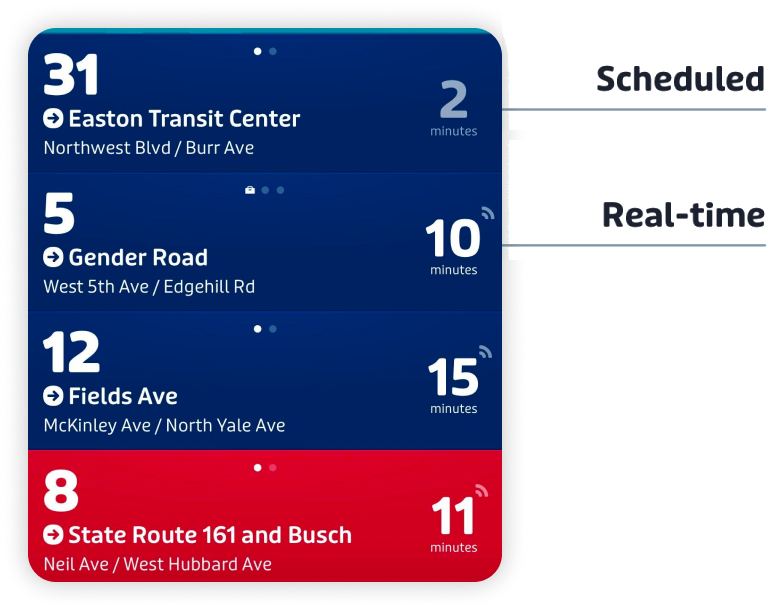
Real-time tracking tells you when your bus is coming, not just when it’s scheduled to arrive.
Check Real-Time Arrivals and Track Your Bus
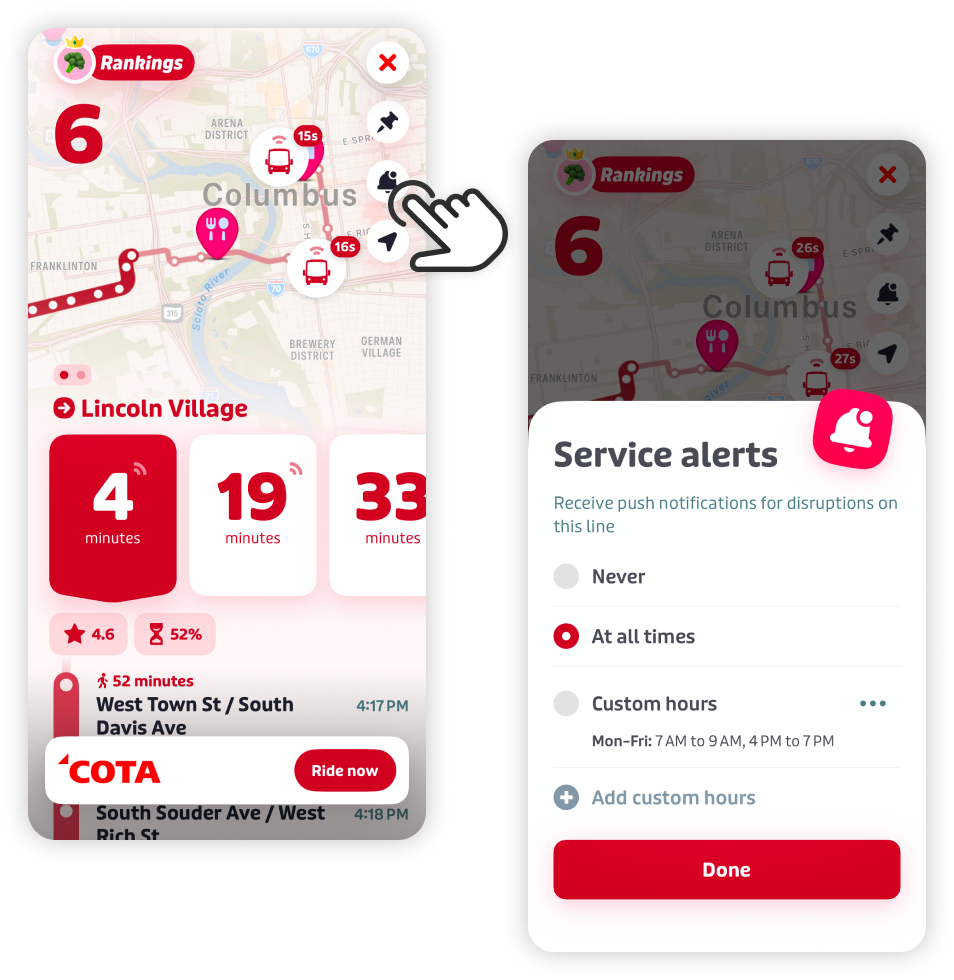
- Open the Transit app and select your line. A pulsing icon next to the countdown shows real-time data.
- If the time is grayed out, real-time data isn’t available yet, and you’re checking the scheduled time instead.
- Tap your line to track your ride’s live location on the map as it moves along the route.
Know If Your Trip Is Canceled
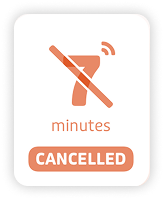
- If a trip is canceled, it’ll appear crossed out in your line’s list of upcoming departures, so you’ll know before you head to the stop.
Use GO to Help Other Riders
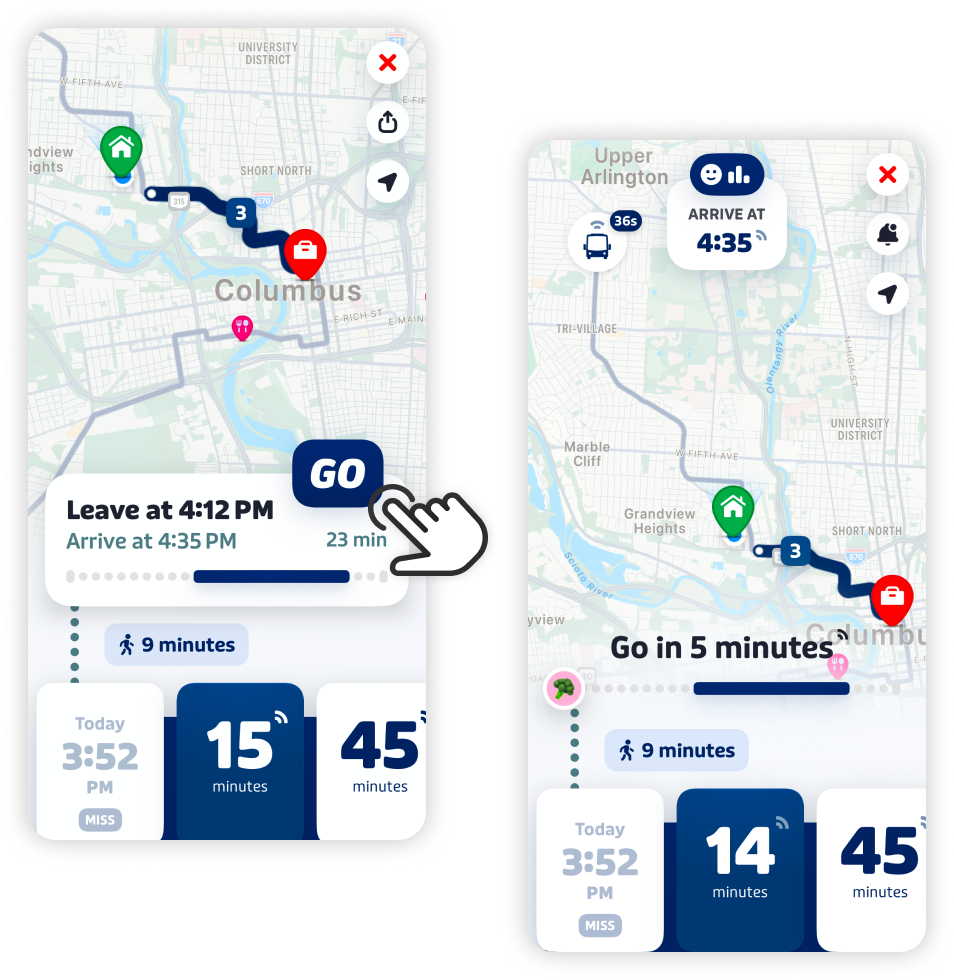
- GO gives you step-by-step guidance for your trip and lets other riders know when your bus is really coming.
- Select your line on the main screen and tap the GO button. GO will guide you through your trip with notifications like when to head to your stop, when your ride is approaching and when it’s time to get off.
- While you’re using GO, your location is shared anonymously with other riders on your line, which helps make real-time tracking more accurate for everyone.
Turn On Alerts for Your Line
Get notified when there’s a disruption on a line you ride often.
- Open the Transit app and select your line.
- Tap the bell icon in the top right corner.
- Choose the days and hours you’d like alerts.
- Make sure notifications are turned on for the Transit app in your phone’s settings, or you won’t receive them even after signing up in the app.

Fare Capping Benefits
Fare capping is a feature of COTA’s fare payment system, available when you pay for your ride through digital payments like Tap To Pay, COTA Smartcard and the Transit app.
$4.50/day or $62/month
apply automatically
Get Started
- Download the Transit app on your smartphone.
- Set up your COTA account.
- Load funds into your account.
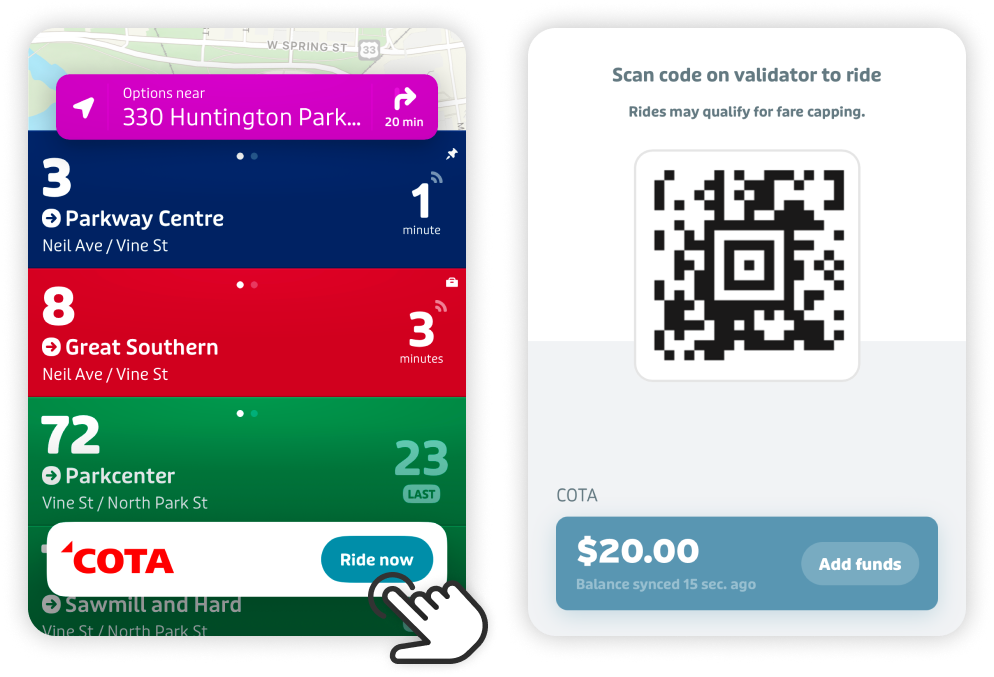
- Tap ‘RIDE’ and scan the QR Code on the validator to the right when you board.
How To Add Funds
- Add funds directly into your account to use whenever you need to ride.
- Purchase a Day Pass or 31-Day Pass in Transit app to add to your account for unlimited rides within the set timeframe.
- Link a credit or debit card to your Transit app account to automatically load new funds when needed.
- Bring cash to the COTA Customer Experience Center to add to your account.
Need help? Contact Customer Care at 614-228-1776 or check out our step-by-step instructions on the MagnusCard app.
Frequently Asked Questions
Transit App
What is the Transit app?
The Transit app is a free app that helps you plan your trip, track your bus in real time and pay your fare from your phone. It also keeps track of what you’ve paid so you get the benefits of fare capping automatically.
What information will be required to sign up for the Transit app?
To use the Transit app, a valid email address is required. Credit card information is not required to sign up.
What if I lose my phone?
Visit the Customer Experience Center (33 N. High St.) or call Customer Care at 614-228-1776 to report a lost or stolen smartphone associated with your account. COTA can deactivate or block the lost or stolen device and help set up a new one on the account.
Can funds loaded to my Transit app account be used for COTA’s other services, like Mainstream or COTA//Plus?
Not currently. Transit app funds can only be used for COTA’s fixed-route service, not other COTA services.
Can I pay for someone else’s fare using my Transit app account?
No. Due to fare capping, each rider needs their own Transit app account. You can’t pay for another person’s fare from your account, but you can help them set up their own account if they need one.
How does COTA track buses in real time?
COTA buses have GPS equipment that reports each vehicle’s location. The Transit app uses this data, along with location updates shared by riders using GO, to show real-time arrivals and vehicle locations on the map.
How is my location data used?
Sharing your location through GO is optional. It’s off by default, and you have to turn it on for each trip. While GO is active, your location is shared anonymously to help improve real-time tracking for other riders. It stops as soon as you end your trip or get off the bus. You can use the Transit app’s other features, like checking real-time arrivals, without ever turning on GO.
Fare Capping
What is fare capping?
Fare capping helps COTA improve access to mobility solutions for customers regardless of their financial situation. Through the Transit app, COTA tracks how much a customer has paid in fares per day and per month. Under this system, a customer never pays more than $4.50 per day (the cost of a Day Pass) or $62 per calendar month (the cost of a Monthly Pass) in total fares. Monthly fare caps reset on the first day of each calendar month. Daily fare caps reset every morning at 4 a.m.
Why does COTA use fare capping?
Our goal is to keep customers from ever paying more than they should to ride COTA. Customers who can’t purchase a $62 Monthly Pass often end up paying more than $62 a month in total fares by paying per day or per ride. Fare capping makes sure that doesn’t happen.
Discount Fares
I qualify for discounted COTA fares. How do I use that with the Transit app?
All customers eligible for discounted fares can use the Transit app with their discount, but must enroll first. To add the entitlement to your account, call COTA Customer Care at 614-228-1776 or visit the Customer Experience Center (33 N. High St.). Use your legal name, not a nickname, when creating your COTA account so Team COTA can verify your eligibility documentation with the account.
How do I pay the discount fare with the Transit app?
Your discount eligibility is assigned to your account. Scan the QR code in the app on the validator to the right when you board the vehicle. The discount applies automatically to the fare in your account. You no longer need to show a separate ID to get the discount.